
Does Your Auto Repair Shop Need a Website and How to Make the Most of It
A driver with a dead battery, a check engine light, or grinding brakes is not going to flip through a phone book. Most will search on a phone, compare a few nearby shops, read reviews, and choose the business that looks trustworthy and easy to contact.
That is why an auto repair shop website is no longer just a nice extra. For many shops, it is the first bay door a customer walks through.
A strong website helps people find the shop, understand the services, book or request an appointment, and feel confident before they hand over their keys. It also supports word-of-mouth referrals. When a happy customer tells a friend, “Go to my mechanic,” that friend will likely look up the shop before calling.
The goal is not to build a fancy site full of effects. The goal is to create a clear, fast, useful website that turns local searches into phone calls, visits, and long-term customers.
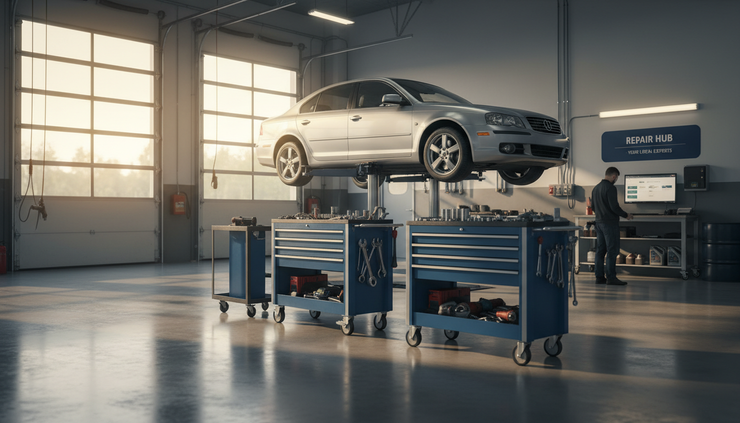
A website helps customers choose before they call
Auto repair is built on trust. Drivers want to know that the shop can handle the problem, will explain the work clearly, and will not waste their time. A website gives them that first layer of confidence.
Without one, customers may only see a business name, a map pin, and scattered reviews. That might be enough for some, but it leaves too much unanswered. A website gives the shop control over the basics.
A good site answers questions such as:
What types of vehicles does the shop service?
Does it handle brakes, diagnostics, tires, oil changes, transmissions, or fleet work?
Where is it located and how easy is it to get there?
What are the shop hours?
Can customers request an appointment online?
Are there warranties, certifications, or specialties worth knowing?
What do real customers say about the experience?
These questions matter because repair decisions often feel urgent. A driver may be stressed, stranded, or worried about cost. A clear website removes friction.
It also separates a professional operation from vague listings or outdated profiles. If two nearby shops have similar reviews, the shop with a clean, helpful website often feels safer to call.
A website works even when the shop is closed
Many repair shops get calls during business hours but lose interest after closing. That is a missed chance. Customers search at night, early in the morning, and on weekends. A website keeps working during those hours.
It can show services, explain next steps, and collect appointment requests while the team is away from the phone. Even a simple contact form can make a difference when it asks for the right details.
Helpful form fields include:
Name and phone number
Vehicle year, make, and model
Main issue or service needed
Preferred day or time
Whether the vehicle is drivable
Permission to text or call back
This does not replace a real conversation. It gives the service advisor a head start. Instead of beginning with, “What seems to be the problem?” the shop can call back with context and a plan.
For customers, that feels organized. For the shop, it saves time.
Your website should make the next step obvious
A repair shop website does not need dozens of pages. It needs the right pages, written in plain language, with clear paths to contact the shop.
The best sites make it easy to do three things:
Call the shop
Find the location
Request service
That means the phone number should be easy to tap on a mobile device. The address should connect to maps. The appointment button or form should appear in natural places, not hidden at the bottom of one page.
A common mistake is treating the homepage like a brochure. Customers are not there to admire a slogan. They are trying to solve a problem. The homepage should quickly say what the shop does, where it operates, and how to get help.
A strong homepage usually includes:
A clear headline about the shop’s main services
A short description of who the shop serves
A visible phone number
A button to request an appointment
A short list of core services
A few trust signals, such as years in business, ASE-certified technicians, warranty details, or customer reviews
A map or location section
Shop hours
Keep the writing direct. Instead of saying “full-service automotive solutions,” say “brake repair, oil changes, diagnostics, tires, and scheduled maintenance.” Customers understand that faster.

The most important pages are simple and practical
A strong website does not need to be large, but it should cover the pages customers expect. Each page should help people make a decision.
Website page | What it should do | What to include |
Home | Give a quick reason to trust and contact the shop | Services, location, phone number, appointment link, reviews |
Services | Show what the shop repairs and maintains | Clear service categories with short explanations |
About | Build trust with the people and story behind the shop | Experience, values, certifications, photos from the shop |
Reviews | Reinforce confidence through customer feedback | Selected testimonials and links to review profiles |
Contact | Make it easy to reach the shop | Phone, address, hours, map, form, after-hours instructions |
Service pages are especially useful. Many customers search for a specific need, such as brake repair, check engine light diagnosis, oil change, tire replacement, or AC repair. A general services list is helpful, but dedicated pages can better match how people search.
For example, a brake repair page can explain common symptoms:
Squealing or grinding sounds
Vibration while braking
A soft brake pedal
Brake warning lights
Longer stopping distance
It should then explain what the shop checks, such as pads, rotors, calipers, brake fluid, hoses, and sensors. The page should not promise a fixed price without inspection unless the shop truly offers one. Repair needs vary by vehicle and condition.
Clear service pages help customers feel understood before they call.
Local search starts with accurate information
A website supports local search, but it does not work alone. The shop’s name, address, phone number, hours, and services should match across major online profiles and directories. If the website says one thing and a profile says another, customers may hesitate.
The most important details to keep consistent are:
Business name
Street address
Main phone number
Hours
Website link
Service categories
Holiday closures
Photos of the shop
Photos matter more than many owners think. Real images of the building, service bays, waiting area, signage, parking, and technicians help customers know they are looking at a real local business. Avoid stock images when possible. A customer wants to see the place where the car will be serviced.
The website should also help people find the shop once they are nearby. Include parking notes, entrance details, or drop-off instructions if needed. If the shop is behind another building, near a well-known intersection, or has a specific after-hours key drop, say so clearly.
Small details reduce customer frustration.
Trust signals should be specific
Every repair shop says it is honest and reliable. Those words are too common to carry much weight on their own. Specific proof works better.
Good trust signals include:
ASE certifications
Years in business
Warranty terms
Special training or equipment
Vehicle brands serviced
Fleet account experience
Customer review quotes
Before-and-after repair examples
Photos of the actual team and shop
A warranty statement is a good example. “We stand behind our work” sounds nice, but it is vague. If the shop offers a written warranty, say what the warranty covers in simple terms. If warranty coverage varies by service or part, explain that customers can ask for details before approval.
The same applies to certifications. Do not list random badges just to fill space. Show the ones that mean something to the work being done.
Customer reviews also deserve care. A website can feature a few short reviews, but it should not edit them in a misleading way. Use honest, representative comments. If a review mentions a specific service, such as “They diagnosed my electrical issue the same day,” that is stronger than generic praise.

Mobile speed matters because customers are often in a hurry
Many people visit a repair shop website from a phone. They may be in a parking lot, at work, or sitting in a vehicle that will not start. If the site loads slowly or is hard to tap, they may leave.
Mobile-friendly design is not about looks alone. It affects whether customers can act.
A good mobile site should have:
Tap-to-call phone numbers
Large buttons
Short forms
Readable text without zooming
Fast-loading images
Simple navigation
Address links that open in map apps
Avoid heavy animations, auto-playing video, and oversized image files. They can slow the page and distract from the action customers need to take.
The contact page deserves special attention. A person with car trouble should not have to pinch, zoom, hunt, or scroll through long blocks of text to find the phone number.
A simple rule works well: if someone cannot contact the shop within a few seconds on a phone, the site needs work.
Content should answer real repair questions
A blog or advice section can be useful, but only if it answers questions customers actually ask. Publishing random posts just to keep the website active rarely helps. Practical content builds trust and can bring in search traffic over time.
Good article topics for an auto repair shop include:
What a check engine light can mean
When to replace brake pads
Why a car shakes at highway speeds
How often to change oil based on driving habits
Signs of a failing battery
What to do before a long road trip
Why AC stops blowing cold air
What maintenance matters before winter or summer
The best posts do not try to turn every reader into a mechanic. They help the customer understand when a problem is minor, when it needs attention, and what the shop will inspect.
For example, a post about warning lights can explain that a steady check engine light and a flashing check engine light are not the same. It can tell drivers to reduce driving and seek help quickly if the light flashes. That kind of advice is useful, honest, and relevant.
End each article with a clear next step, such as calling for diagnosis or requesting an inspection. Keep it helpful, not pushy.
Online scheduling should match how the shop operates
Online booking can be a strong feature, but only when it fits the shop’s workflow. Some shops can offer direct appointment slots. Others may prefer request forms that staff confirm later.
Both approaches can work.
Direct booking is useful for simple services such as oil changes, tire rotations, or state inspections where allowed. Request-based scheduling may be better for diagnostics, intermittent issues, major repairs, or jobs that require parts planning.
The website should set expectations. If an appointment request is not confirmed until the shop replies, say that clearly. If drop-off times differ from repair start times, explain that too.
Clarity prevents frustration. A customer who thinks the car will be inspected at 8:00 a.m. may be upset if that is only the drop-off window. The site can prevent that misunderstanding before it happens.
The website should support phone calls, not replace them
Some shop owners worry that a website will make the business feel less personal. A good site does the opposite. It prepares customers for a better conversation.
When a customer already knows the shop handles their issue, where it is located, what the hours are, and how the process starts, the phone call becomes easier. The service advisor can focus on the vehicle and the customer’s concerns.
The website can also reduce repetitive questions. If the site clearly explains hours, after-hours drop-off, towing guidance, financing options if offered, and general service process, staff spend less time repeating basics.
That does not remove the human side of auto repair. It protects it. The team has more time for the conversations that need personal attention.
Track what works and keep improving the site
A website should not be built once and forgotten. It should be reviewed from time to time, just like shop equipment, service procedures, or customer follow-up.
Useful things to watch include:
Which pages get the most visits
How many visitors tap the phone number
How many appointment forms come in
Which services bring the most interest
Whether visitors use mobile or desktop
Which pages people leave quickly
This information does not need to be complicated. Even basic reporting can show patterns. If many people visit the brake repair page but few contact the shop, the page may need clearer next steps. If mobile visitors leave quickly, the page may load too slowly or be hard to use.
Ask staff what customers mention on calls. If people often ask, “Do you work on hybrids?” or “Can I drop off after hours?” add those answers to the site. Real customer questions are the best guide for useful website updates.

Common website mistakes can cost real business
A weak website can make a good shop look careless. The most common problems are easy to avoid.
Outdated hours are one of the biggest issues. If a customer drives to the shop and finds it closed, trust is damaged before any repair begins.
Hard-to-find contact information is another problem. The phone number, address, and appointment option should be visible across the site, especially on mobile.
Thin service descriptions also hurt. A page that only says “We do brakes” is not very helpful. A better page explains symptoms, inspection steps, and why timely repair matters.
Other mistakes include:
Using stock photos that do not match the shop
Hiding prices when a simple starting point or inspection policy could help
Making forms too long
Forgetting to update staff, certifications, or services
Letting broken links stay on the site
Using technical language customers do not understand
The fix is usually not a total rebuild. Many sites improve with better copy, clearer buttons, faster pages, updated photos, and accurate service details.
A good website makes the shop easier to trust
So, does your auto repair shop need a website? In most cases, yes. Customers expect to find one, and they use it to judge whether the shop is organized, credible, and easy to work with.
The best website is not the flashiest one. It is the one that helps a driver take the next step with confidence.
Start with the basics: clear services, accurate contact information, real photos, strong mobile performance, honest trust signals, and an easy way to request help. Then build from there with service pages, useful repair advice, and regular updates based on real customer questions.
A repair shop earns loyalty in the bay, but the first impression often happens online. Make that first impression clear, helpful, and true to the work customers will experience when they arrive.


Comments